
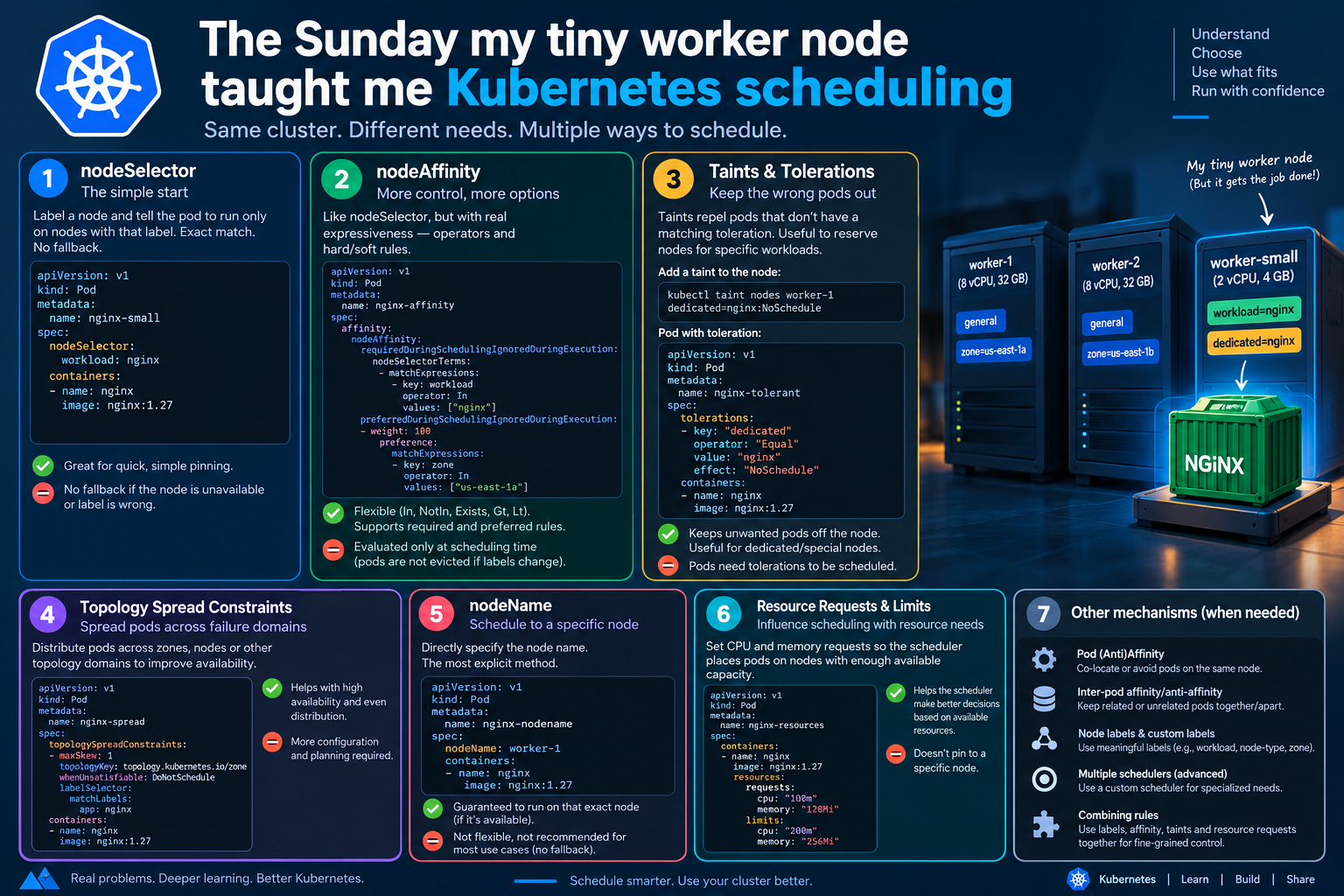
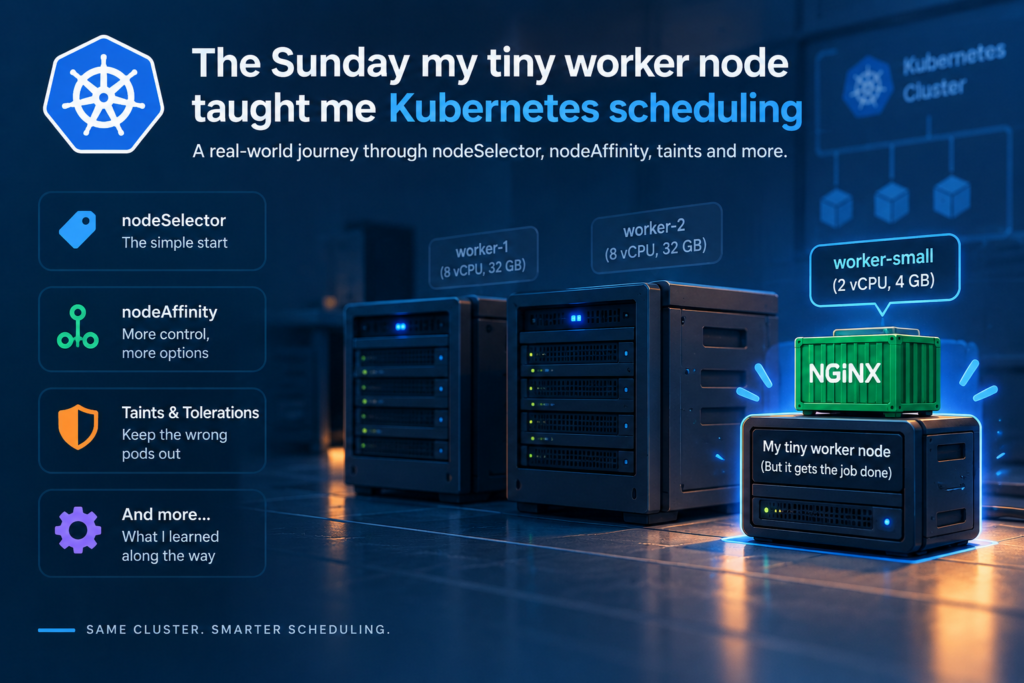
It’s Sunday, September 6th, and I finally sat down to fix something that had been bugging me all week: I have a small worker node in my cluster — low CPU, not much RAM, nothing fancy — and I wanted to deploy a workload specifically onto it. Not “somewhere in the cluster,” not “wherever Kubernetes feels like.” That exact node. Nowhere else.
I figured this would take five minutes. It took me down a genuinely interesting rabbit hole through nearly every scheduling mechanism Kubernetes has, and I want to walk through it the way I actually experienced it, mistakes included.
The problem I actually had
My cluster has a mix of nodes. A couple of beefy ones doing the heavy lifting, and this one small worker node sitting almost idle. I wanted to put a lightweight nginx workload on it specifically — partly to make use of it, partly because I didn’t want it competing for resources on the bigger nodes. Simple enough in theory. In practice, the default scheduler doesn’t know or care that I have opinions about this. It just looks at available capacity and spreads pods around accordingly. If I did nothing, my workload could land anywhere, including on a node I didn’t want it on.
So I went looking for “how do I pin this to one node” and, as usual with Kubernetes, there isn’t one answer — there are several, each suited to a slightly different version of the problem. Here’s what I learned, in the order I actually tried things.
Attempt 1: nodeSelector, the blunt instrument
This is the first thing everyone reaches for, and it’s honestly the right place to start. You label the node, then tell the pod to only run on nodes with that label.
I labelled my small node:
kubectl label nodes worker-1 workload=nginx
I labelled it for what it was actually going to run — workload=nginx — rather than something vague. Labels are just key-value pairs, so use whatever actually makes sense for your cluster, but tying the label to the real purpose of the node saved me confusion later.
Then in the pod spec:
apiVersion: v1
kind: Pod
metadata:
  name: nginx-small
spec:
  nodeSelector:
    workload: nginx
  containers:
  - name: nginx
    image: nginx:1.27
This worked immediately. The pod landed exactly where I wanted. But then I hit the first real gotcha: nodeSelector is an exact match with no fallback logic. If that node had gone down, or if I’d mistyped the label, the pod would just sit there in Pending forever. No plan B. For a quick one-off pin, that’s fine. For anything I actually cared about staying available, it felt too rigid.
Attempt 2: nodeAffinity, because I wanted “prefer this, but don’t die trying”
This is where things got more interesting. Node affinity does the same label-matching job as nodeSelector, but with actual expressiveness — six operators (In, NotIn, Exists, DoesNotExist, Gt, Lt) and, more importantly, a distinction between hard requirements and soft preferences.
apiVersion: v1
kind: Pod
metadata:
  name: nginx-affinity
spec:
  affinity:
    nodeAffinity:
      requiredDuringSchedulingIgnoredDuringExecution:
        nodeSelectorTerms:
        - matchExpressions:
          - key: workload
            operator: In
            values:
            - nginx
      preferredDuringSchedulingIgnoredDuringExecution:
      - weight: 100
        preference:
          matchExpressions:
          - key: zone
            operator: In
            values:
            - us-east-1a
  containers:
  - name: nginx
    image: nginx:1.27
This says: the pod must land on a node labelled workload=nginx, and if there happen to be multiple such nodes, prefer the one in us-east-1a. That required/preferred split was exactly the flexibility I wanted — a real constraint, plus a nice-to-have.
One thing genuinely confused me while reading about this, so I’ll save you the detour: both selection types end in IgnoredDuringExecution, and I initially assumed there must be a matching RequiredDuringExecution mode somewhere that would evict a running pod if the node’s label changed later. There isn’t — at least not as a stable, shipped feature. It was proposed years ago and never actually landed. In practice, node affinity is evaluated once, at scheduling time, full stop. If someone strips the label off the node afterwards, your pod keeps running right where it is. It doesn’t get kicked off. If you need pods to react to a label change after the fact, you’re on your own — a controller, a rolling restart, something external.
Attempt 3: taints and tolerations, for the opposite problem
Here’s the thing I hadn’t considered until I actually ran into it: my small node was also getting other pods scheduled onto it — stuff I didn’t want there, competing for the very limited resources I was trying to protect. Affinity solves “where should my pod go,” not “what should I keep off this node.” For that, you flip the logic entirely with taints.
# Reserve the node for nginx only — nothing else lands here without this toleration
kubectl taint nodes worker-1 dedicated=nginx:NoSchedule
apiVersion: v1
kind: Pod
metadata:
  name: nginx-tolerant
spec:
  tolerations:
  - key: "dedicated"
    operator: "Equal"
    value: "nginx"
    effect: "NoSchedule"
  containers:
  - name: nginx
    image: nginx:1.27
A taint repels every pod that doesn’t have a matching toleration. Three effects worth knowing, since I mixed them up at first:
| Effect | What it does |
|---|---|
NoSchedule | Blocks new pods without a toleration. Doesn’t touch pods already running. |
PreferNoSchedule | A soft version — tries to avoid it, won’t refuse outright. |
NoExecute | Blocks new pods and evicts existing ones that don’t tolerate it. |
Important nuance I got wrong the first time: a toleration doesn’t pull a pod onto a node, it just allows it there if the scheduler decides to put it there for other reasons. If you want a pod to both avoid every other node and specifically land on the tainted one, you need affinity and a toleration together. Taint alone just keeps strangers out.
Attempt 4: realising it’s not just about nodes
Once I had my small node protected and my workload pinned there, I bumped into a slightly different problem: I was also running two replicas of that workload, and I didn’t want both of them accidentally ending up on the same node (not really a concern for my one small node, but worth mentioning because it’s the natural next thing you learn). This is where pod affinity and anti-affinity come in — placement relative to other pods, not just node labels.
affinity:
  podAntiAffinity:
    requiredDuringSchedulingIgnoredDuringExecution:
    - labelSelector:
        matchLabels:
          app: nginx-full
      topologyKey: "kubernetes.io/hostname"
This tells the scheduler: don’t put this pod on a node that already has one labelled app=nginx-full. Useful for spreading replicas across failure domains so one node dying doesn’t take the whole service down. If you’re on a newer cluster and just want even spreading without the affinity syntax, topologySpreadConstraints is usually the cleaner tool for that specific job — worth knowing it exists even though I didn’t need it for my small node.
The one I tried and then abandoned: namespace-level selection
At one point I considered just parking everything for this project in its own namespace and forcing that whole namespace onto my small node, instead of adding a nodeSelector to every single manifest:
apiVersion: v1
kind: Namespace
metadata:
  name: web
  annotations:
    scheduler.alpha.kubernetes.io/node-selector: "kubernetes.io/hostname=worker-1"
In theory, every pod created in that namespace then gets scheduled onto worker-1 automatically, no per-pod configuration needed. In practice, I hit a wall immediately: this relies on the PodNodeSelector admission plugin, and it is not enabled by default — not on my cluster, and not on most managed clusters either (EKS, GKE, AKS all ship without it turned on). You have to enable and configure it yourself via the API server’s admission-plugin flags, which on a managed control plane you often don’t have access to at all. I added the annotation, deployed, and nothing happened — the pod scheduled wherever it wanted, and it took me an embarrassingly long time to figure out why. If you’re self-managing your control plane, it’s a genuinely useful “set it once for the whole namespace” tool. If you’re on a managed service, don’t be me — check this before you build around it.
What I actually shipped
Here’s the combination that ended up solving my actual Sunday problem — pinning a small, resource-capped nginx deployment to my small node while keeping unrelated workloads off it:
apiVersion: apps/v1
kind: Deployment
metadata:
  name: nginx-full
spec:
  replicas: 2
  selector:
    matchLabels:
      app: nginx-full
  template:
    metadata:
      labels:
        app: nginx-full
    spec:
      affinity:
        nodeAffinity:
          requiredDuringSchedulingIgnoredDuringExecution:
            nodeSelectorTerms:
            - matchExpressions:
              - key: workload
                operator: In
                values:
                - nginx
        podAntiAffinity:
          preferredDuringSchedulingIgnoredDuringExecution:
          - weight: 100
            podAffinityTerm:
              labelSelector:
                matchLabels:
                  app: nginx-full
              topologyKey: "kubernetes.io/hostname"
      tolerations:
      - key: "dedicated"
        operator: "Equal"
        value: "nginx"
        effect: "NoSchedule"
      containers:
      - name: nginx
        image: nginx:1.27
        resources:
          limits:
            cpu: "2"
            memory: "512Mi"
Breaking down what each piece is doing for me:
- Node affinity forces it onto the node labelled
workload=nginx— my small node, and only my small node. - Pod anti-affinity (soft) tries to keep my two replicas apart if I ever add a second small node to spread across.
- The toleration is what lets this workload past the taint I put on the node to keep everything else away.
- Resource limits cap it at 2 CPUs and 512Mi — because “small node” means I genuinely can’t let this thing get greedy.
That last part matters more than I expected going in. Pinning a workload to a small node without also setting resource limits is asking for trouble — you’ve concentrated your pods onto the one machine with the least room to absorb a memory leak or a CPU spike. The scheduling rules get the pod there; the resource limits are what keep it from taking the node down once it arrives.
Things I wish I’d known before I started
A handful of small facts that would’ve saved me some confusion:
- Labels are case-sensitive and can contain letters, numbers, dashes, and dots — easy to lose ten minutes to a typo.
- Inside one
matchExpressionsblock, every expression has to match (it’s an AND). Across separate entries innodeSelectorTerms, only one of them needs to match (it’s an OR). I mixed these up more than once. - I’d read somewhere that DaemonSets ignore
nodeSelectorandnodeAffinityby default — that’s outdated. Since Kubernetes 1.12, DaemonSets use the standard scheduler and do respect those fields. If you want a DaemonSet pod to run absolutely everywhere, including on nodes that aren’t fully ready, you’ll need to explicitly tolerate the built-innode.kubernetes.io/not-readytaint and similar. - Taints stick around through node restarts. Labels do too, but you can remove one manually with
kubectl label nodes <node> <key>-. kubectl get nodes --show-labelsandkubectl describe node <name>are your friends before you write any scheduling rule — check what’s actually on the node first, don’t assume.kubectl cordon <node>stops new pods landing there without touching labels or taints at all — perfect for “I’m about to do maintenance on my small node, don’t send anything new here.”kubectl draingoes further and moves existing pods off too.
The short version, if you’re in a hurry
| Mechanism | What it’s for |
|---|---|
nodeSelector | Quick, rigid pin to a labelled node |
nodeAffinity | Same idea, with hard/soft rules and real operators |
| Taints & tolerations | Keep unwanted pods off a node by default |
| Pod affinity / anti-affinity | Place pods relative to each other, not just node labels |
Namespace PodNodeSelector | Whole-namespace default — needs an admission plugin most managed clusters don’t enable |
topologySpreadConstraints | Clean, even spreading across zones or nodes |
If I’m honest, the whole detour took longer than the five minutes I’d budgeted for it on a Sunday afternoon. But I came out the other side actually understanding why each mechanism exists instead of just copying YAML off the internet — which, funnily enough, is exactly how this post started.
Happy deploying, and good luck with your small nodes too.